
Loop now,DAW later.
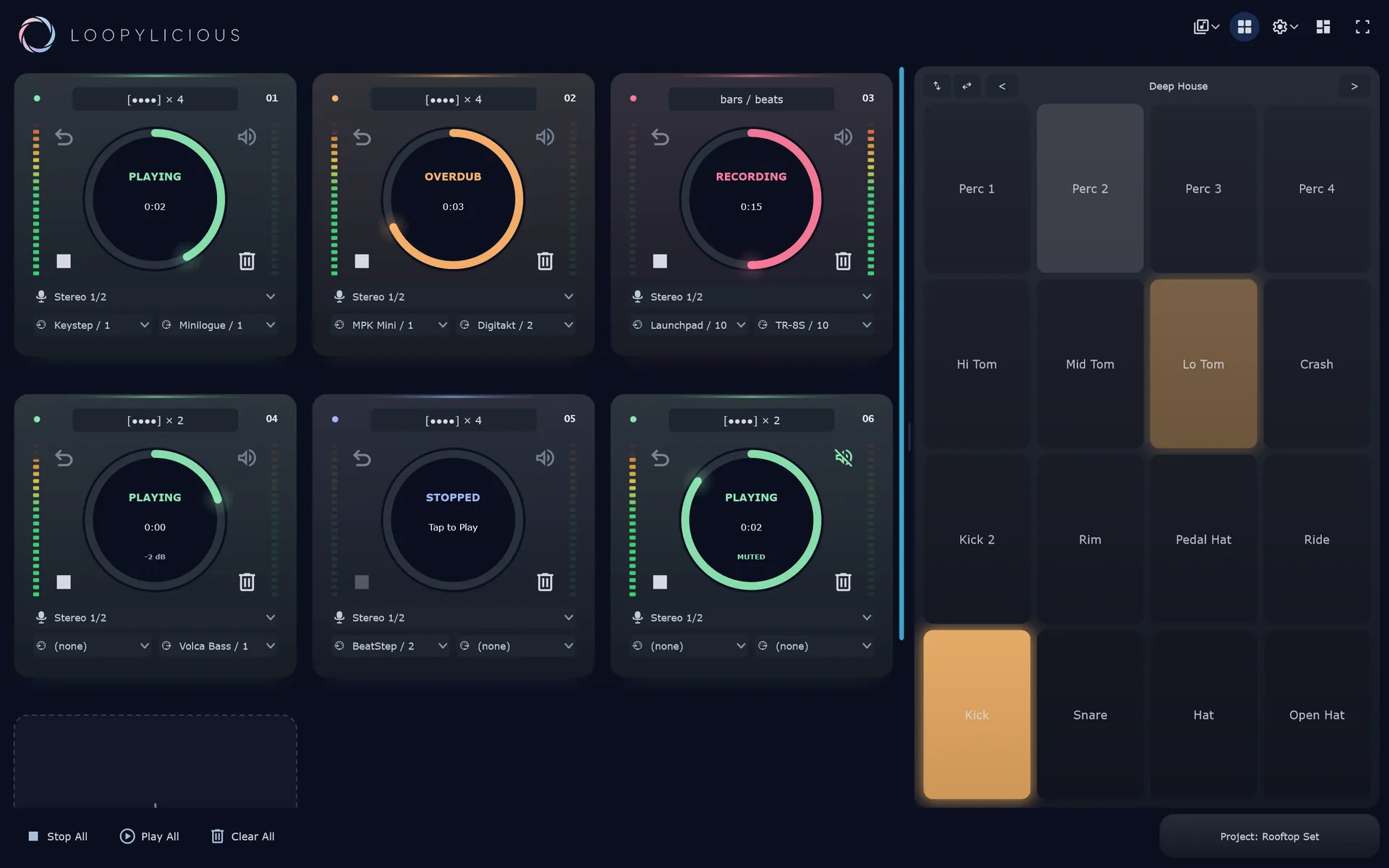
Sit down and start looping; capture from mics, line-in, midi, or drop a beat on the pads; add tracks as you need. And if you want, open in any DAW later, with your audio alongside the MIDI.
Buy once, own it forever, on all your own devices, with free updates.
Wouldn't it be nice
if I could change my mind.
I'm looping, I'm grooving and want to share, but I wish I'd changed the Rhodes sound I had loaded. And I made a horrific mistake about two minutes in. Most loopers, it's one-and-done. DAWs can do it but take a lot of effort to configure that way, and by then the idea's gone.
Loopylicious captures audio and midi at the same time by default - and lets you map midi-out to your favourite synth. Get the idea out now, then rebuild the sound or fix those bum notes in your DAW tomorrow, without recording everything again.
Keep layering tracks
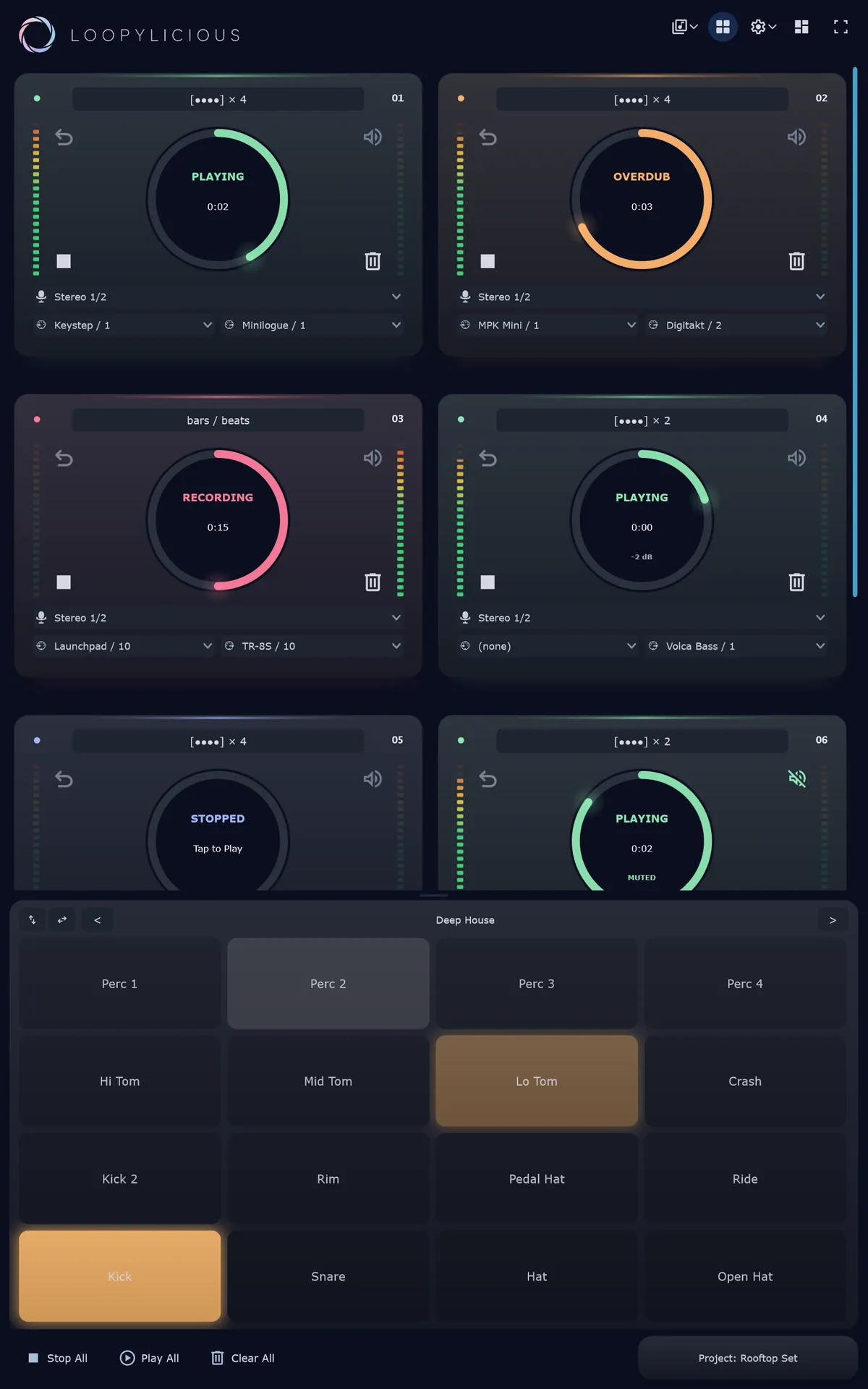
Hit record, overdub, layer. Audio and MIDI captured together, and lined up around the barlines so everything's in sync
Add some punch
Finger-drum a beat to go with your loop, layer just like any other track, with a built-in one-shot sampler and pad
DAW yourself to death, and back
Open the project in your DAW of choice. Fiddle with your instruments, tweak your timing, add more effects, bounce to WAV and midi, then reopen in Loopylicious and keep going
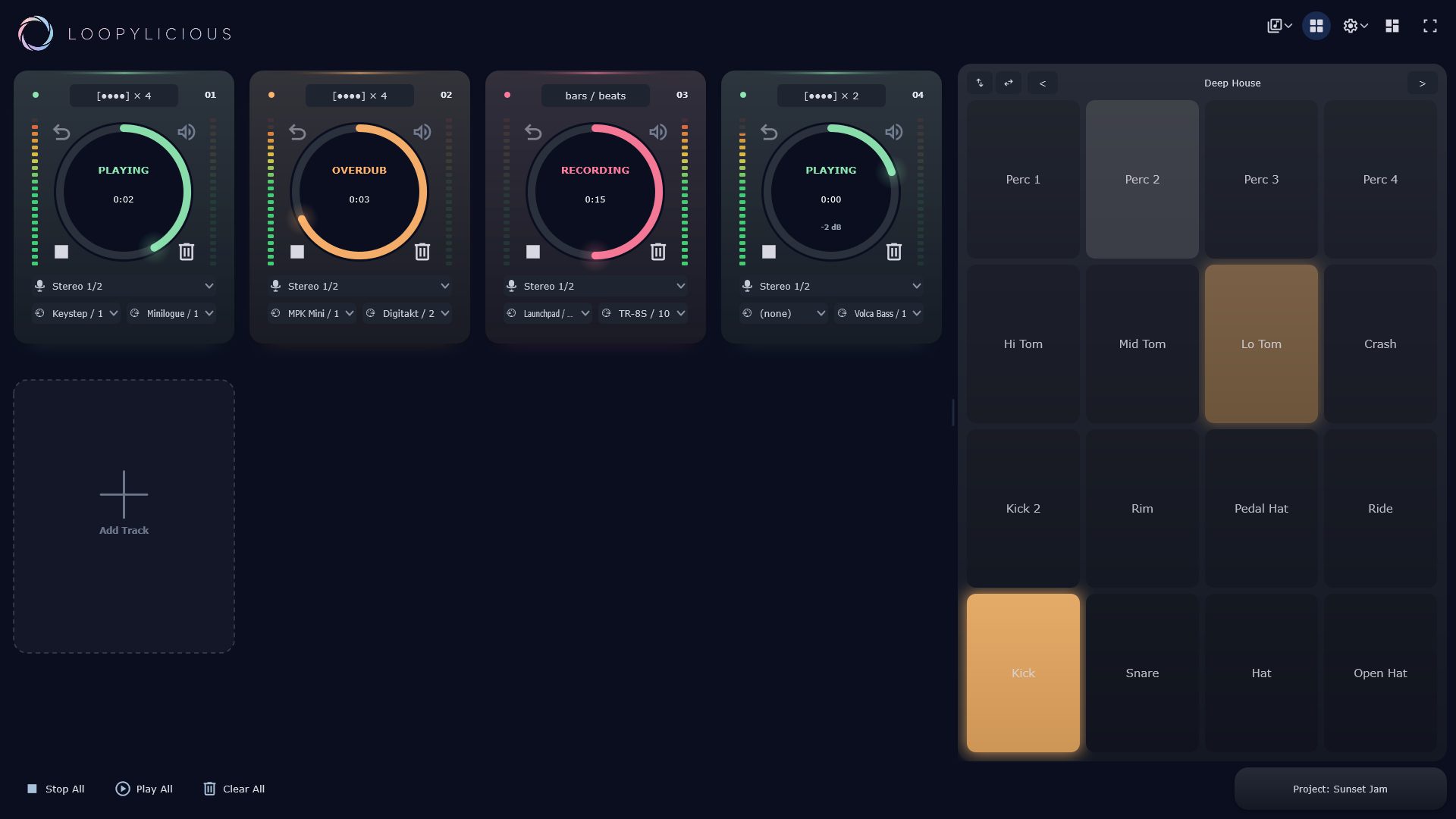
The desktop app. Add tracks freely, each with its own input and MIDI in/out, with the drum pad open on the right.
The right amount of features for me. Hopefully for you too.
Opinionated but immediate. Start looping without configuring everything, knowing you'll have flexibility to fiddle later.
Dynamic N-channel looping
Add tracks as the song grows, with no fixed channel count. Limited only by your hardware
Per-track MIDI in & out
Record MIDI alongside the audio and send it back out to any midi-out device
Quantized loop start & end
Loops snap to sensible bar boundaries so layers line up as you'd expect; plus a little timing grace if you miss the loop button by a bit
Drum pads + sampler
Pop open the drum pad grid (tiled) and play a beat with the built-in sampler - routed to any armed track. Comes with a couple of starter packs, with import on its way
MIDI-learn or keyboard-driven-everythings
Map any Loopylicious control to any midi-capable hardware, or use keyboard shortcuts (including for the drum pad), or just run the whole thing via touch on your tablet
Recorded latency compensation
Loopylicious makes a chirp, measures your device's round-trip latency, then offsets every take so your loops stay in sync. Brilliant for bluetooth headphones with high latency
Audio device selection
Have a different audio input on each track, or use the same one on lots of tracks; flexibility to loop the way you want to
WAV and midi output for fiddling
Stored on-disk as wavs and midi files - and pre-configured project files for your favourite DAW planned
Hear where this comes from.
Most of my own songs are layers of loops, originally on my hardware looper - but since I've made it, I've migrated to Loopylicious full-time.
I've got a full-time job, kids, a million little things to do around the house. When I want to make some music, I need nothing to get in the way.
Loopylicious is the looper I always wanted - I couldn't find it, so I made it myself. I've spent my whole life making music, nearly four decades of piano, and lots of DAWs and hardware along the way. DAWs are incredibly powerful, but they can be pretty overwhelming if you've got 30 minutes before you crash out for the day and just want to get an idea down. Sometimes an idea strikes whilst you're away from the keyboard, and the available mobile options don't cut it. And why not use the same tool on both? And why is it so fiddly to load up a simple drum pad to go with my epic synths?
I can't stand subscriptions for software I'd only buy once. I don't like hostile DRM. I like to switch devices a lot, and I reckon you do, too. So here it is: my dream looper, available for a single price on all your devices, immediately ready for your ideas, forever. This is Loopylicious.
Pay what feels fair, once.
I want as many people to experience the joy of live looping as possible - so you pick the price. I worked hard on this and plan to keep going, so what you pay helps fund development and hosting. I think it's pretty good.
Buy once. *Own* it everywhere.
Thank you. ♡
Buy now · $20Secure one-time purchase, powered by Gumroad.
On your tablet/phone? Buy it on Google Play →- Every platform, now & future
Windows, Android, Linux & the VST today; macOS & iOS as they ship. - Free updates
New features and fixes included. No upgrade fees. - No subscription, no account
License validation that works offline.
Can't stretch to $10 right now? Just send me an email.
Not ready to buy?
No worries! Download the free trial and use the whole thing, completely unrestricted, for 14 days. It keeps working after that, just nudging you (nicely) to buy a license when you're ready.
Download the free trialDownload and start looping, wherever you are
Free to try and see if it deserves a place in your life - 14 day unrestricted trial, then a polite request to buy a license after that.
Free and unrestricted for 14 days. No card, no account.
Windows: easiest is the Microsoft Store, auto-updating with no security prompts. Prefer a direct download? The .exe is 10/11, 64-bit, no installer: just download and run. It isn't code-signed yet (solo dev, sorting that out), so Windows may pop a "protected your PC" box: click More info, then Run anyway. It's safe, promise.
Android: most phones and tablets should grab it from Google Play, auto-updating and easiest. The direct APK is a release-signed download for devices without Google Play (de-Googled, GrapheneOS): buy a license on the web and paste your key.
Linux: 64-bit AppImage, glibc 2.35 or newer. Make it executable and run. On Ubuntu 24.04, launch with --appimage-extract-and-run, or install libfuse2t64.
Coming soon: macOS & iOS are on the way.